OJS vs a Modern Journal Management System: Choosing the Right Publishing Platform for a New Journal
Selecting a publishing platform is one of the most important operational decisions involved in launching an academic journal. The platform will influence how authors submit manuscripts, how editors manage peer review, how articles are published, how metadata are distributed and how much technical maintenance the journal must handle.
Many universities, scholarly societies and independent publishers begin by considering Open Journal Systems, commonly known as OJS. It is a respected open-source publishing application developed by the Public Knowledge Project and is widely used by journals across different countries, languages and disciplines.
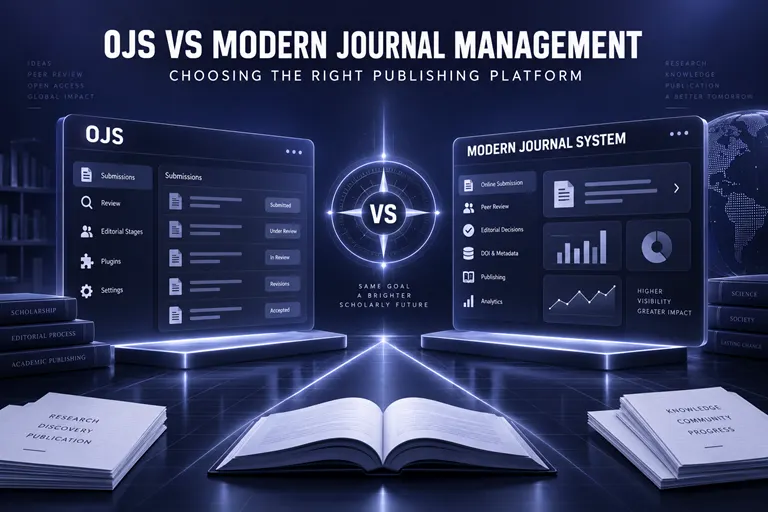
However, journals today also have access to modern, managed journal management systems that combine website development, manuscript submission, peer review, article publishing, metadata workflows and technical support within a single service.
The decision is therefore not simply whether OJS is good or bad. OJS is a capable publishing system. The more useful question is whether self-managed or hosted OJS matches the journal’s resources, expertise and long-term goals, or whether an integrated managed platform such as ScholarJMS would provide a more suitable operational model.
The Intellecta International Journal of Research and Innovation (IIJRI) is powered by ScholarJMS, which brings the journal’s public website, submission workflow, editorial management and publishing structure into one connected environment.
This article offers a practical comparison between OJS and a modern journal management system. It examines software ownership, hosting, website design, peer review, DOI registration, metadata, security, technical support, costs and migration so that new journal founders can make an informed choice.
What Is Open Journal Systems?
Open Journal Systems is an open-source application designed for scholarly journal publishing. It supports the researcher-to-reader workflow, including submission, peer review, production and online publication.
According to the Public Knowledge Project, OJS can support:
- Online manuscript submission.
- Configurable editorial workflows.
- Reviewer assignment and reminders.
- Copyediting and production stages.
- Issue and article publication.
- Multiple journals within one installation.
- Multilingual publishing.
- OAI-PMH and other metadata formats.
- DOI and ORCID integrations.
- Usage and editorial statistics.
- Plugins and custom themes.
- Preservation-service integrations.
- Import and export of journal data.
The software can be downloaded and installed on a compatible server. Because the code is open source, a journal or institution can inspect, customise and operate its own installation.
This provides considerable flexibility, but it also creates technical responsibilities.
What Is a Modern Managed Journal Management System?
A modern managed journal management system is a hosted publishing platform through which the service provider manages much of the technical infrastructure while the journal concentrates on editorial and publication work.
A system such as ScholarJMS combines:
- A professional journal website.
- Online manuscript submission.
- Author accounts and paper tracking.
- Editorial screening.
- Reviewer management.
- Peer-review workflows.
- Revision and decision tracking.
- Article and issue publication.
- Crossref DOI support.
- OAI-PMH and metadata export.
- JATS XML workflows.
- Search-engine-ready article pages.
- Journal analytics.
- Technical support.
- Hosting, updates and backups.
The journal normally does not need to install the software or maintain the underlying server independently.
The difference is therefore not only about features. It is also about how technical responsibility is divided between the journal and the service provider.
OJS vs Modern Journal Management System: Quick Comparison
| Decision Area | Self-Managed OJS | Managed OJS Through OJSCloud | Modern Managed System Such as ScholarJMS |
|---|---|---|---|
| Software model | Open-source application | Open-source application with managed services | Managed journal platform |
| Hosting | Arranged by the journal | Managed by OJSCloud | Included within the service |
| Installation | Journal or developer handles it | Provider handles it | Provider handles it |
| Upgrades | Journal must plan and test them | Managed with technical support | Platform updates are centrally managed |
| Website design | Theme-based or custom development | Theme setup and customisation support | Integrated modern website templates and custom branding |
| Submission workflow | Configurable OJS workflow | Configured and supported OJS workflow | Integrated submission and tracking |
| Peer review | Built-in | Built-in with managed support | Built-in with managed support |
| DOI integration | Requires setup and credentials | Configuration support available | Integrated DOI workflow support |
| Metadata | Strong, configurable metadata support | Supported configuration and maintenance | Structured metadata and publishing workflows |
| Technical expertise | Usually required | Reduced through managed service | Generally minimal for journal staff |
| Plugins | Large plugin ecosystem | Provider can help manage compatibility | Features controlled within the platform |
| Data control | Strong direct control in self-hosted setup | Managed with export and migration planning | Governed by platform terms and export arrangements |
| Security | Journal’s responsibility | Managed by provider | Managed by platform provider |
| Backups | Journal’s responsibility | Managed by provider | Managed by platform provider |
| Support | Documentation and community, unless contracted | Direct technical support | Direct platform and publishing support |
| Best suited for | Institutions with technical teams and a preference for open-source infrastructure | Journals that want OJS without maintaining it alone | New and growing journals seeking an integrated managed solution |
No single option is automatically best for every publication. The correct choice depends on the journal’s team, budget, workflow and technical capacity.
Comparison 1: Setup and Launch Time
Launching with Self-Managed OJS
A self-managed OJS launch may involve:
- Acquiring a domain.
- Selecting hosting.
- Configuring the server.
- Installing OJS.
- Creating a database.
- Configuring email delivery.
- Installing and testing a theme.
- Enabling plugins.
- Creating user roles.
- Configuring the workflow.
- Adding journal policies.
- Setting up backups.
- Testing submission and review.
- Configuring DOI and metadata services.
An institution with experienced technical personnel may manage these tasks efficiently. A small editorial team without technical support may find them difficult.
The software may be downloadable without a conventional licence fee, but installation and reliable operation still require time, expertise and infrastructure.
Launching with a Managed Platform
A managed system can reduce the technical work required from the journal. The provider may handle the initial website, server, domain configuration, branding, workflow setup and staff onboarding.
ScholarJMS is designed to connect the journal website with submission, peer review and publishing functions in a managed environment. This can be useful when the editorial team wants to launch quickly without building an internal software-maintenance operation.
However, even a fast platform setup does not mean that the journal itself should be launched without preparation. The journal must still develop:
- Aims and scope.
- Editorial board.
- Author guidelines.
- Peer-review policy.
- Ethical policies.
- Copyright and licensing terms.
- Publication schedule.
- Article templates.
- Editorial responsibilities.
Technology can accelerate implementation, but it cannot replace journal governance.
Comparison 2: Website Design and Branding
OJS Website Design
OJS includes responsive themes and allows journal branding. Institutions can customise existing themes or develop a custom design.
This flexibility is useful, but the quality of the final website depends on:
- The selected theme.
- The OJS version.
- Plugin compatibility.
- The developer’s skills.
- Mobile testing.
- Accessibility work.
- Performance optimisation.
- Continued maintenance.
A heavily customised theme may also require additional attention during software upgrades.
Modern Managed Website Design
A modern managed platform typically uses preconfigured layouts designed for academic publishing. Journal owners can customise colours, logos, menus, content pages and homepage sections without managing the underlying code directly.
ScholarJMS combines the public journal website with the editorial and article-publishing system. This makes it possible to present:
- Journal information.
- Editorial policies.
- Calls for papers.
- Current issues.
- Article pages.
- Author guidance.
- Submission access.
- Manuscript tracking.
- News and blog content.
For a new journal, this integrated approach can reduce the gap between an attractive public website and the internal publishing workflow.
Comparison 3: Manuscript Submission
Both OJS and a modern journal management system can provide online submission. The important issue is how easily authors can complete the process and how effectively editors can use the collected information.
A submission system should collect:
- Manuscript title.
- Abstract.
- Keywords.
- Article type.
- Author names and affiliations.
- ORCID identifiers.
- Manuscript and supplementary files.
- Cover letter.
- Funding information.
- Conflict-of-interest declaration.
- Ethical approval information.
- Author-contribution statement.
- Copyright or licensing agreement.
OJS Submission
OJS provides a configurable step-by-step submission workflow. It can collect manuscript files and metadata and route submissions into the editorial process.
The journal must configure the submission requirements, instructions, components and user roles correctly.
ScholarJMS Submission
ScholarJMS provides structured online submission connected with the author dashboard, editorial workspace and article-publishing environment. Authors can submit and track papers while editors manage files, metadata and status changes within the same system.
The best submission system is not necessarily the one with the most fields. It is the one that collects complete information without creating unnecessary difficulty for authors.
Comparison 4: Editorial and Peer-Review Workflow
OJS and modern systems can both support peer review. The practical difference may lie in configuration, usability, automation and support.
OJS Editorial Workflow
OJS supports several publishing stages, including submission, review, copyediting and production. Editors can assign submissions, invite reviewers, set deadlines, send reminders and record decisions.
Its flexibility is a major strength. It can support different editorial structures and reviewer models.
However, the journal must configure roles, permissions, email templates, review forms and workflow stages. Editors may require training, especially when the journal has multiple sections, review rounds or staff roles.
Modern Managed Workflow
ScholarJMS provides an integrated system for:
- Initial editorial screening.
- Editor assignment.
- Reviewer invitation.
- Review-deadline tracking.
- Revision requests.
- Author responses.
- Editorial decisions.
- Acceptance documentation.
- Production and publication.
Managed onboarding can help the journal adapt the platform to its actual review model rather than leaving the editorial team to interpret every configuration option alone.
What Matters More Than Software
No system can ensure rigorous peer review if the journal lacks suitable reviewers or clear editorial procedures.
The journal must still define:
- Single-blind, double-blind, open or transparent review.
- Number of reviewers.
- Reviewer-selection criteria.
- Conflict-of-interest rules.
- Review deadlines.
- Decision authority.
- Appeals procedures.
- Confidentiality requirements.
- Handling of disputed or inadequate reviews.
The platform should implement the policy, not substitute for it.
Comparison 5: Technical Maintenance and Upgrades
Self-Managed OJS
A self-hosted OJS journal is responsible for technical maintenance. This normally includes:
- Server administration.
- Software updates.
- Database backups.
- File backups.
- Security patches.
- PHP and database compatibility.
- Email configuration.
- Plugin updates.
- Theme compatibility.
- Error diagnosis.
- Restoration testing.
- Performance monitoring.
Updates should be tested before they are applied to a production journal. Plugins or custom themes may not always behave identically after an upgrade.
This is manageable for institutions with dedicated personnel, but it can be a continuing burden for a small editorial team.
Managed OJS Through OJSCloud
A journal that prefers OJS but does not want to manage it alone can use OJSCloud for:
- OJS hosting.
- Installation and configuration.
- Technical support.
- Upgrades.
- Security maintenance.
- Backup management.
- Theme support.
- Migration.
- Journal launch consulting.
- ISSN-readiness guidance.
This approach preserves the OJS environment while reducing the technical workload placed on editors.
ScholarJMS
ScholarJMS uses a managed platform model. Hosting, platform updates and technical infrastructure are handled centrally. Journal staff work primarily through the provided editorial and publishing interfaces.
This may be more suitable when the journal prefers predictable managed operations and does not need direct control of the underlying software code.
Need Help Choosing or Setting Up Your Journal Platform?
We can help universities, publishers, societies and independent editors with:
- ScholarJMS journal website and workflow setup.
- Managed OJS hosting through OJSCloud.
- OJS installation, upgrades and technical support.
- OJS-to-ScholarJMS migration.
- Journal launch consultation.
- ISSN consulting and website-readiness review.
- Crossref DOI support through GetDOI.
- Editorial and peer-review workflow configuration.
- Transparent peer-review options through Scholar9.
WhatsApp: +91 82003 85143
Email: inquiry@ojscloud.com
Comparison 6: Plugins and Customisation
OJS Plugin Ecosystem
One of OJS’s major strengths is its plugin ecosystem. Plugins can extend functionality relating to:
- DOI registration.
- Metadata export.
- ORCID.
- Payments.
- Statistics.
- Themes.
- Language support.
- Preservation.
- Import and export.
- Authentication.
- Indexing and discovery.
Plugins should be selected carefully. The journal needs to consider:
- Compatibility with its OJS version.
- Maintenance status.
- Security.
- Documentation.
- Interaction with other plugins.
- Future upgrade support.
Installing a large number of plugins without governance can make an OJS installation harder to maintain.
Managed Platform Features
A modern managed system usually provides supported functions within a controlled environment rather than allowing unrestricted plugin installation.
This can reduce flexibility for highly specialised custom development, but it can also reduce compatibility problems and simplify updates.
A journal should ask whether it genuinely needs custom software development or simply needs a reliable set of core publishing tools.
Comparison 7: Metadata, DOI and Discoverability
A publishing platform should help the journal create accurate, machine-readable records.
Important metadata may include:
- Journal title.
- ISSN.
- Volume and issue.
- Article title.
- Author names.
- Affiliations.
- ORCID identifiers.
- Abstract.
- Keywords.
- Publication date.
- DOI.
- References.
- Funding information.
- Licence.
- Landing-page URL.
OJS Metadata Capabilities
OJS supports rich publication metadata and standards such as Dublin Core and OAI-PMH. It can connect with scholarly services through built-in functions or plugins.
The journal must configure integrations correctly and verify that each deposit or export is accurate.
ScholarJMS Metadata Capabilities
ScholarJMS supports structured article pages, OAI-PMH metadata, DOI workflows, JATS XML and publishing formats intended to improve interoperability and discoverability.
The platform can reduce manual work by connecting information collected during submission with later publication stages.
Crossref DOI Considerations
Neither installing OJS nor subscribing to another journal platform automatically provides a journal with the legal or administrative authority to register Crossref DOIs.
The publisher still needs:
- Direct Crossref membership or an approved sponsorship route.
- A DOI prefix.
- Unique DOI suffixes.
- Accurate metadata.
- A dedicated landing page for each article.
- A registration workflow.
- Continuing metadata maintenance.
GetDOI can assist eligible journals with Crossref sponsorship coordination, DOI setup, metadata preparation and registration-workflow guidance.
DOI registration should not be confused with indexing. A DOI identifies content but does not guarantee inclusion in Scopus, Web of Science, DOAJ, PubMed or another database.
Comparison 8: ISSN and Journal-Launch Readiness
An ISSN identifies a serial publication. It is not issued by OJS, ScholarJMS or any private platform.
The authorised ISSN agency makes the decision based on its applicable requirements.
Before applying, a new journal should prepare:
- Stable journal title.
- Publisher information.
- Aim and scope.
- Editorial board.
- Publication frequency.
- Author guidelines.
- Peer-review process.
- Ethical policies.
- Copyright and licensing.
- Contact details.
- Functional website.
- Published or sample content where required by the responsible centre.
OJS can host this information, and ScholarJMS can also provide the necessary website structure. The determining factor is whether the journal has prepared the required content accurately.
OJSCloud offers ISSN consulting and website-readiness support for journal owners who need help identifying missing information and organising their launch. This assistance can improve readiness but cannot guarantee that an ISSN will be approved.
Comparison 9: Security, Privacy and Backups
Journal platforms store unpublished manuscripts, personal information, reviewer reports and confidential editorial decisions.
Self-Hosted OJS Security
A self-hosted OJS installation gives the institution direct control, but the institution must actively manage:
- Server security.
- OJS and dependency updates.
- Access permissions.
- Backup schedules.
- Database protection.
- Email security.
- Malware monitoring.
- Recovery plans.
- Administrator credentials.
- Privacy compliance.
Failing to update the application or server can increase risk.
Managed-Platform Security
A managed provider normally handles the infrastructure, updates and backups. The journal should still review:
- Privacy terms.
- Data ownership.
- User permissions.
- Backup frequency.
- Recovery process.
- Export options.
- Support-response procedures.
- Account security.
- Data location where institutionally relevant.
Managed hosting reduces the journal’s technical burden, but it does not remove the need for sound editorial access controls.
Comparison 10: Data Ownership and Portability
Data portability is an important consideration because a journal may eventually change providers or platforms.
OJS
A self-hosted OJS journal has direct access to its application files, database and server environment. PKP also provides import and export tools.
This level of control is valuable to institutions with the capacity to manage it responsibly.
Managed Platforms
A managed platform should clearly explain:
- Who owns article and user data.
- Which data can be exported.
- Available export formats.
- Migration procedures.
- Notice requirements.
- Data-retention rules.
- What happens when the service ends.
Before choosing any platform, the journal should request a written understanding of data access and migration support.
ScholarJMS provides migration support for journals moving from OJS or other systems. A responsible migration should preserve articles, metadata, DOI links, user records where appropriate and publication history.
Comparison 11: Transparent Peer Review
Traditional OJS workflows can support anonymous or open review models, depending on configuration and policy.
Modern publishing ecosystems may also connect peer review with external trust and verification tools.
Scholar9 provides transparent peer-review and research-trust infrastructure. A transparent review model may make selected review information available, recognise reviewer contributions or create a clearer record of scholarly evaluation.
The journal must define:
- Whether reports will be published.
- Whether reviewer names will be disclosed.
- How participant consent will be obtained.
- Which materials remain confidential.
- How author responses are managed.
- How review records connect with the final article.
Transparent review should be adopted because it supports the journal’s editorial values, not simply because the technology is available.
Comparison 12: Real Cost of Ownership
OJS is open source, but open source does not mean that operating the journal has no cost.
Possible Self-Managed OJS Costs
A journal may need to budget for:
- Domain registration.
- Server hosting.
- Installation.
- Theme development.
- Plugin setup.
- Custom development.
- Email delivery.
- Security monitoring.
- Backup storage.
- Upgrades.
- Troubleshooting.
- Staff training.
- DOI registration.
- Metadata preparation.
- Migration.
- Technical personnel.
Institutions with existing servers and skilled staff may absorb some of these costs internally.
Managed OJS Costs
Managed OJS services package hosting, technical maintenance and support into a service arrangement. The journal pays for assistance but avoids many unexpected technical tasks.
Modern Managed-Platform Costs
A managed system generally charges a subscription or service fee covering platform access, hosting, maintenance, updates and support. Optional work such as archive migration, extensive custom design, DOI services or publishing consultation may have separate costs.
Calculate Total Cost, Not Only Subscription Cost
A fair comparison should include:
- Direct fees.
- Staff time.
- Technical risk.
- Downtime.
- Training.
- upgrade work.
- support availability.
- migration and recovery.
- opportunity cost for editors.
The least expensive initial option may not be the least expensive to operate over several years.
When OJS Is the Right Choice
OJS may be the better choice when:
- The institution strongly prefers open-source software.
- A reliable server and technical team are available.
- The publisher wants direct control of the application and database.
- Extensive plugin-based customisation is required.
- The institution manages many journals through a central publishing office.
- Staff members already understand OJS.
- Internal policies require self-hosting.
- The journal has a long-term maintenance plan.
In this situation, OJS is a capable and well-established solution.
If the journal wants OJS but lacks the technical team to manage it, hosted and supported OJS through OJSCloud can provide a practical middle path.
When ScholarJMS May Be the Better Choice
ScholarJMS may be a stronger fit when:
- The journal needs to launch without managing its own server.
- Editors want a modern public-facing journal website.
- Submission, review and publication should operate in one environment.
- The team has limited technical experience.
- Direct setup and support are important.
- The journal needs managed updates and backups.
- The publisher wants integrated DOI and metadata workflows.
- Multiple journals need to be managed centrally.
- OJS maintenance or customisation has become difficult.
- The journal wants assistance with launch planning and workflow configuration.
The main value is not simply replacing one software interface with another. It is moving technical maintenance away from the editorial team so that editors can focus on research quality, peer review and publication.
When a Journal Should Consider Migrating from OJS
Migration may be worth considering when:
- The OJS version is significantly outdated.
- Security updates are difficult to manage.
- Plugins or themes cause compatibility problems.
- The website no longer reflects the journal’s brand.
- Editors find the workflow unnecessarily complex.
- Technical support is inconsistent.
- Article pages have incomplete metadata.
- Submission or email functions are unreliable.
- Mobile performance is poor.
- The journal is expanding to multiple titles.
- The publisher wants a more managed operating model.
Migration should not begin until the existing installation has been audited.
OJS-to-ScholarJMS Migration Checklist
A responsible migration should review:
- OJS version.
- Number of journals.
- Volumes and issues.
- Published articles.
- PDFs, HTML and supplementary files.
- Article metadata.
- DOI inventory.
- Existing URL structure.
- Author, reviewer and editor accounts.
- Submission records.
- Editorial correspondence.
- Plugins.
- Custom themes.
- Email templates.
- Policies and content pages.
- Statistics.
- Database and file backups.
The migration plan should also include:
- Complete backup of the current system.
- Metadata export and validation.
- File transfer.
- Article-page recreation or mapping.
- DOI destination updates where URLs change.
- Redirects from important old URLs where possible.
- Account and permission review.
- Workflow configuration.
- Testing of submission, review and publication.
- Final metadata and link audit.
A migration is not complete merely because PDFs have been uploaded to a new website. Publication history, metadata and persistent links must also remain reliable.
Need Help with OJS Hosting or Migration?
We provide a coordinated pathway for journals at different stages:
Stay with OJS
OJSCloud can assist with:
- OJS hosting.
- Installation and configuration.
- Version upgrades.
- Backup and security management.
- Theme and plugin support.
- Technical troubleshooting.
- ISSN consulting.
- Journal launch guidance.
Move to a Modern Managed Platform
ScholarJMS can assist with:
- Professional journal website setup.
- Manuscript submission.
- Peer-review management.
- Editorial workflow configuration.
- Article and issue publication.
- OJS data migration.
- Crossref DOI integration.
- Metadata and XML workflows.
- Multi-journal management.
- Training and continuing technical support.
Strengthen DOI and Review Infrastructure
GetDOI and Scholar9 can support:
- Crossref DOI sponsorship and workflow guidance.
- Metadata preparation.
- DOI continuity during migration.
- Transparent peer-review infrastructure.
- Research-trust records.
WhatsApp: +91 82003 85143
Email: inquiry@ojscloud.com
A Practical Platform Selection Framework
Before selecting OJS, managed OJS or ScholarJMS, journal owners should answer the following questions.
Technical Capacity
- Do we have a server administrator?
- Who will install updates?
- Who will restore the system after a failure?
- Can we test plugins and themes before upgrading?
Editorial Capacity
- How many submissions do we expect?
- How many editors and reviewers will use the system?
- Do we need multiple review rounds?
- Will we publish continuously or by issue?
Publishing Requirements
- Do we need HTML, PDF or JATS XML?
- Do we need Crossref DOI registration?
- Will we publish supplementary files?
- Do we need multilingual metadata?
- Do we need multiple journals?
Support Requirements
- Can our team work mainly from documentation and community forums?
- Do we need direct implementation support?
- Do editors need onboarding and training?
- How quickly must technical problems be resolved?
Governance and Control
- Must data remain on an institution-controlled server?
- Do we require source-code customisation?
- What export options are required?
- Who owns the data?
- What is the migration process if we leave?
Financial Planning
- What is the three-year or five-year total cost?
- Have we included staff and developer time?
- Have we budgeted for upgrades, security and backups?
- Are DOI, email, migration or customisation costs separate?
The answers will usually indicate which model is more suitable.
Frequently Asked Questions
Is OJS free?
OJS is open-source software and can be downloaded without a conventional commercial licence fee. However, a journal may still incur costs for hosting, installation, configuration, customisation, updates, security, technical support and staff time.
Is OJS suitable for a new journal?
Yes. OJS can support new and established journals. It is most suitable when the journal has access to the technical capacity required for setup and ongoing maintenance or uses a managed OJS provider.
What is the main difference between OJS and ScholarJMS?
OJS is an open-source publishing application that can be self-hosted or professionally hosted. ScholarJMS is a managed journal platform that combines the journal website, submission, peer review and publication infrastructure within a supported service.
Does OJS support peer review?
Yes. OJS supports configurable editorial and peer-review workflows, reviewer assignments, deadlines, reminders and editorial decisions.
Does ScholarJMS support peer review?
Yes. ScholarJMS includes manuscript submission, reviewer management, revision tracking and editorial-decision functions. It supports common review models and can connect with Scholar9 for transparent peer review.
Can OJS register Crossref DOIs?
OJS can support Crossref DOI workflows when the relevant plugins and credentials are configured. The publisher still needs an authorised Crossref membership or sponsorship arrangement.
Does ScholarJMS provide Crossref DOI support?
ScholarJMS supports DOI integration and structured article publication. GetDOI can assist eligible publishers with Crossref sponsorship coordination, metadata preparation and registration guidance.
Does using OJS or ScholarJMS guarantee indexing?
No. A platform can support metadata quality and application readiness, but indexing services independently evaluate journals. No software should guarantee acceptance in Scopus, Web of Science, DOAJ or another selective database.
Can OJS journals migrate to ScholarJMS?
Yes, migration may be possible after assessing the OJS version, database, articles, metadata, users, plugins and DOI structure. The process should begin with a complete backup and migration plan.
Will existing DOIs change after migration?
Existing DOIs should normally remain unchanged. If article URLs change, the DOI destination records should be updated to resolve to the new landing pages.
What is managed OJS hosting?
Managed OJS hosting places the journal on OJS while a service provider handles tasks such as installation, hosting, upgrades, backups, security and technical support.
What is OJSCloud?
OJSCloud provides OJS hosting, maintenance, support, migration, journal launch assistance, ISSN consulting and publishing guidance for journals that prefer OJS but need professional technical support.
Which platform is best for a university with multiple journals?
The answer depends on governance and technical resources. A university with a central technical team may prefer a multi-journal OJS installation. An institution seeking managed operations and centralised support may prefer a multi-journal ScholarJMS arrangement.
Which option is best for an editor without technical knowledge?
A managed OJS service or ScholarJMS is generally more practical than an unsupported self-hosted installation. The final choice depends on whether the editor specifically wants OJS or prefers a fully managed modern platform.
Conclusion
OJS and modern journal management systems can both support credible scholarly publishing. The correct decision depends on the journal’s operational needs rather than a simple list of software features.
OJS offers open-source flexibility, direct data control, extensive configuration and a large international publishing community. It is a strong option for institutions with technical expertise or journals using a reliable managed OJS service.
A modern managed system such as ScholarJMS may be more appropriate when a journal wants an integrated website, submission system, peer-review workflow, article-publishing structure and direct technical support without independently maintaining the software stack.
For some publishers, OJSCloud offers the best balance by retaining OJS while providing professional hosting and maintenance. For others, moving to ScholarJMS provides a simpler and more integrated operating model. GetDOI and Scholar9 can then support DOI registration workflows and transparent peer review.
The Intellecta International Journal of Research and Innovation uses ScholarJMS to connect its journal website, author services and publishing workflow. This model allows the editorial team to establish a professional digital presence while developing the journal’s multidisciplinary research community.
Before choosing a platform, journal founders should evaluate technical capacity, editorial workflow, metadata requirements, support expectations, long-term costs and data portability. The best platform is the one the journal can operate consistently, securely and transparently for many years.
For help selecting, launching or migrating your journal platform:
WhatsApp: +91 82003 85143
Email: inquiry@ojscloud.com